
The FBI, the official extranet of the French Basketball Federation, centralizes the administrative management of clubs affiliated with the FFBB. Logging into accounts, managing licenses, tracking transfers: all these operations go through this platform. For leaders, secretaries, or club managers, mastering access to this tool is crucial for the smooth running of each sports season.
Compatible Browsers and Technical Prerequisites for the FBI Portal
Before even discussing identifiers, a common obstacle blocks users right at the login page: the choice of browser. Feedback from clubs indicates that Internet Explorer is outdated and not supported by the FBI portal. Validation forms, document uploads, and menu displays may malfunction on this browser.
The recommendation is clear: use Mozilla Firefox or Google Chrome in their latest versions. On a shared workstation within the club (secretariat, reception area), checking the browser version before each FBI session helps avoid input errors or failed validations.
The cache and cookies also pose problems. After an update of the portal at the beginning of the season, old data stored in the browser can cause login loops. Clearing the cache or opening a private browsing window resolves most of these issues.
For clubs wishing to access the FBI extranet FFBB without wasting time, these preliminary checks save considerable time during peak activity periods (renewals, early season registrations).
FBI FFBB Login: Identifiers and Access Rights Management
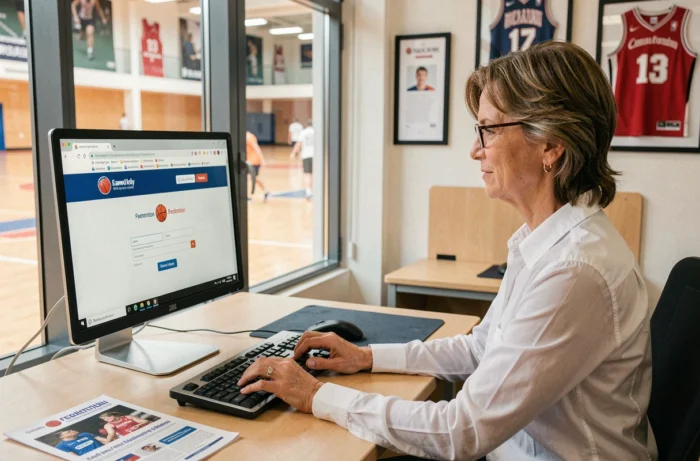
The portal address is extranet.ffbb.com/fbi/connexion.fbi. Each club has a main account associated with an affiliation number. The identifiers are provided by the departmental committee during the first affiliation or in case of a change of office.
The system distinguishes several levels of rights. The club’s main correspondent (usually the president or the secretary general) has full access: licenses, competition commitments, transfers, consultation of federal documents. They can then delegate restricted access to other board members.
Lost Password or Blocked Account
The recovery procedure goes through the email address registered in the club’s profile on FBI. If this address is no longer valid (change of office, former president left without passing on the codes), it is necessary to contact the departmental committee directly. This seemingly trivial situation blocks clubs every year during renewals.
Anticipating the administrative handover between two offices remains the best way to avoid this blockage. At each general assembly, updating the FBI email and password should be included in the transition task list.
E-License and Validation Process via FBI
The dematerialization of licenses has changed the administrative daily life of clubs. The process relies on a precise sequence between the club, the licensee, and the departmental committee, all managed from FBI.
- The club initiates the license request (or renewal) in FBI, providing the player’s information.
- An automatic email sent by FBI reaches the licensee, containing a secure link to complete and validate their file (photo, medical certificate or health questionnaire, electronic signature).
- Once the file is validated on the licensee’s side, the club verifies it in FBI and then forwards it to the departmental committee for final validation.
- A second email containing the PDF of the license is sent to the licensee after validation by the committee.
This process works well when the email addresses are correct and the licensee checks their inbox (including spam). In practice, most blockages come from incorrect email addresses or messages landing in the junk folder.
Check Emails Before Submitting Requests
Before each wave of renewals, a quick check of the email addresses in the club’s FBI database allows for the identification of obsolete accounts. Some clubs organize a paper or online pre-registration (via their own site or a third-party tool like Kalisport) to collect updated addresses before triggering anything in FBI.
FBI and Complementary FFBB Tools: What Connects to What
FBI does not operate in isolation. Several tools revolve around the extranet and interact with the data stored there.
The e-Marque tool, used for electronic management of match sheets, retrieves license data directly from FBI. If a license is not validated in FBI, the player cannot appear on the digital match sheet. The link between the two is direct and cannot be bypassed.
The eFFBB portal (hosted on SharePoint) provides access to internal documents, practical sheets, and federal training materials. It does not require the same identifiers as FBI, which sometimes generates confusion among volunteers juggling multiple interfaces.
For clubs using association management software (Kalisport, for example), importing data from FBI is possible via an export file. This gateway allows for the synchronization of the list of licensees between the federal extranet and the club’s internal tool, avoiding duplicate entries.
Anticipating Load Peaks on the FBI Portal
At the beginning of each season, the FBI portal experiences a significant increase in load. Clubs that launch their renewals in the last days before the deadline encounter degraded response times, or even temporary server errors.
Spreading operations over several weeks reduces the risk of being blocked the day before a deadline. The best-organized clubs start collecting documents as early as the end of the previous season, then proceed in waves in FBI: first the licensees whose files are complete, then cases requiring a new medical certificate or health questionnaire.
Access to the FBI extranet FFBB remains a technical skill accessible, provided that a few fundamentals are respected: up-to-date browser, identifiers properly transmitted between successive offices, verified email addresses before each licensing campaign. Clubs that integrate these reflexes into their annual operations spend less time on administration and more time on the field.